Category: Introduction to Game Development
-
Chapter 13: Community and Sharing
•
Introduction to Online Game Development Communities and Forums In this chapter, we’ll explore the importance of community and sharing in the game development process. We’ll introduce you to online game development communities and forums where developers can connect, collaborate, and showcase their work. By participating in these communities, you’ll have…
-
Chapter 12: Advanced Topics and Exploration
•
Delving into Advanced Unity Features In this chapter, we’ll delve into more advanced Unity features and explore additional game development tools and resources to broaden your skills and knowledge. We’ll encourage creativity and experimentation with open-ended projects, allowing you to apply what you’ve learned in practical and innovative ways. Example…
-
Chapter 11: Game Design Principles
•
Introduction to Game Design Concepts Game design is the foundation of every successful game, encompassing mechanics, dynamics, and aesthetics that shape player experiences. In this chapter, we’ll introduce you to fundamental game design principles, including mechanics, dynamics, aesthetics, player engagement, game balance, brainstorming, and prototyping new game ideas. Example 1:…
-
Chapter 10: Publishing Your Game
•
Overview of the Game Publishing Process Publishing your game is the final step in the game development journey, where you share your creation with the world and make it accessible to players. In this chapter, we’ll provide an overview of the game publishing process for different platforms, explore Unity’s build…
-
Chapter 9: Testing and Debugging
•
Understanding the Importance of Testing Games Testing and debugging are critical stages in game development to ensure your game is free of bugs and issues, and delivers a smooth and enjoyable experience to players. In this chapter, we’ll delve into the importance of testing games, debugging common errors, and playtesting…
-
Chapter 8: Audio and Sound Effects
•
Adding Background Music and Sound Effects to the Game Audio plays a crucial role in creating immersive and engaging gameplay experiences. In this chapter, we’ll explore how to add background music and sound effects to your Unity game, utilizing Unity’s Audio Source component and AudioClip assets. Example 1: Adding Background…
-
Chapter 7: Advanced Game Mechanics
•
Implementing More Complex Game Mechanics Advanced game mechanics take your game to the next level, adding depth and complexity to gameplay. In this chapter, we’ll explore how to implement various advanced mechanics, from power-ups to enemies, animations, particle effects, and physics-based interactions. Example 1: Implementing Power-Ups Power-ups are special items…
-
Chapter 6: Introduction to 3D Game Development
•
Exploring 3D Modeling and Importing Assets into Unity 3D game development brings an extra dimension of complexity and excitement. To start, we need to understand 3D modeling and how to import these assets into Unity. Example 1: Creating a Basic 3D Model Begin by creating a simple 3D model using…
-
Chapter 5: User Interface Design
•
Introduction to Unity’s UI System: Canvas, Text, Buttons, and Images Designing an engaging and functional user interface (UI) is crucial for any game. Unity’s UI system provides powerful tools to create and manage UI elements like canvases, texts, buttons, and images. Example 1: Setting Up the Canvas Begin by creating…
-
Chapter 4: Creating a Simple Game
•
Guided Project: Building a Simple 2D Platformer or Endless Runner Game Creating a simple game is an excellent way to learn Unity and practice your game development skills. In this chapter, we will walk through the process of building a basic 2D platformer or endless runner game. Example 1: Setting…
-
Chapter 3: Scripting Basics with C#
•
Introduction to C# Scripting Language C# is a powerful and versatile programming language used to write scripts in Unity. Scripts are the backbone of your game, allowing you to control the behavior and interactions of game objects. Let’s dive into some hands-on examples to get you started with C# scripting…
-
Chapter 2: Creating and Manipulating Game Objects
•
Basic Game Object Manipulation: Moving, Rotating, and Scaling In Unity3D, manipulating game objects is fundamental to creating interactive scenes. Moving an object involves changing its position in the 3D space, which can be done using the Translate tool in the Scene View or by setting its position values in the…
-
Chapter 1: Introduction to Unity3D
•
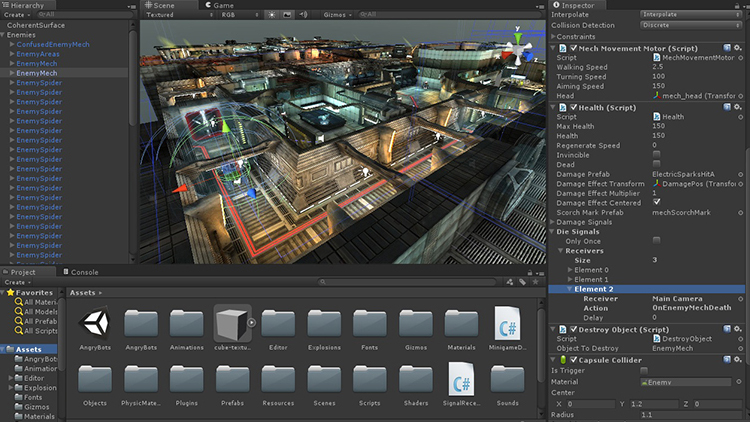
Brief Overview of Unity3D Interface and Its Components Unity3D is a powerful game development engine used by professionals and beginners alike. When you first open Unity, you’ll see several key components that form the interface. The Scene View is where you’ll place and arrange your game objects, creating the visual…