


Recent Blog Posts
-
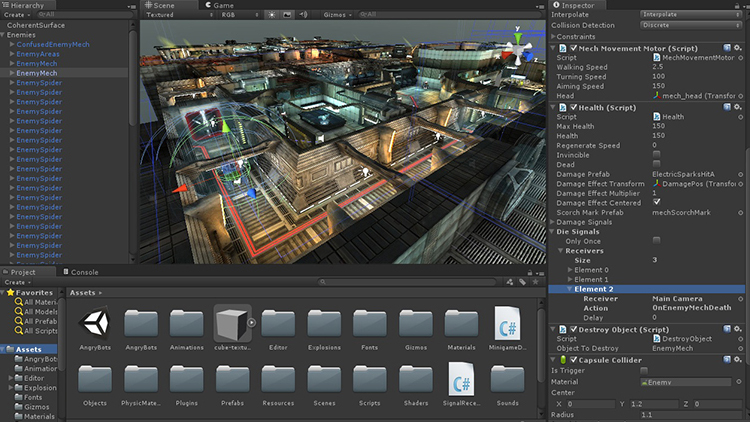
Chapter 6: Introduction to 3D Game Development
•
Exploring 3D Modeling and Importing Assets into Unity 3D game development brings an extra dimension of complexity and excitement. To start, we need to understand 3D modeling and how to import these assets into Unity. Example 1: Creating a Basic 3D Model Begin by creating a simple 3D model using…
-
Chapter 5: User Interface Design
•
Introduction to Unity’s UI System: Canvas, Text, Buttons, and Images Designing an engaging and functional user interface (UI) is crucial for any game. Unity’s UI system provides powerful tools to create and manage UI elements like canvases, texts, buttons, and images. Example 1: Setting Up the Canvas Begin by creating…
-
Chapter 4: Creating a Simple Game
•
Guided Project: Building a Simple 2D Platformer or Endless Runner Game Creating a simple game is an excellent way to learn Unity and practice your game development skills. In this chapter, we will walk through the process of building a basic 2D platformer or endless runner game. Example 1: Setting…
-
Chapter 3: Scripting Basics with C#
•
Introduction to C# Scripting Language C# is a powerful and versatile programming language used to write scripts in Unity. Scripts are the backbone of your game, allowing you to control the behavior and interactions of game objects. Let’s dive into some hands-on examples to get you started with C# scripting…
-
Chapter 2: Creating and Manipulating Game Objects
•
Basic Game Object Manipulation: Moving, Rotating, and Scaling In Unity3D, manipulating game objects is fundamental to creating interactive scenes. Moving an object involves changing its position in the 3D space, which can be done using the Translate tool in the Scene View or by setting its position values in the…
-
Chapter 1: Introduction to Unity3D
•
Brief Overview of Unity3D Interface and Its Components Unity3D is a powerful game development engine used by professionals and beginners alike. When you first open Unity, you’ll see several key components that form the interface. The Scene View is where you’ll place and arrange your game objects, creating the visual…
-
Lets Create a Real-world Currency Price Tracker
•
The Real-world Currency Price Tracker is a web-based application designed to provide users with real-time information on currency exchange rates. Developed using HTML, CSS, and JavaScript, this project leverages the ExchangeRate-API to fetch the latest exchange rates in relation to the US Dollar (USD). The application features a clean and…
-
Update Cryptocurrency Tracking
•
Lets create a cryptocurrency tracking website that displays prices for all cryptocurrencies available in the world, you’ll need to fetch data from a cryptocurrency API that provides comprehensive information about all cryptocurrencies. CoinGecko is a popular choice for this purpose. Here’s how you can build it: Introduction: Cryptocurrency Price Tracker…
-
Lets Create A Simple Snake Game
•
let’s create a full Snake game with HTML5 Canvas and JavaScript. This game will have the following features: Here’s the code for the full Snake game: html<!DOCTYPE html><html lang=”en”><head> <meta charset=”UTF-8″> <meta name=”viewport” content=”width=device-width, initial-scale=1.0″> <title>Snake Game</title> <style> canvas { border: 1px solid #000; background-color: #eee; display: block; margin: 0…
-
Javascript Client Side Video Converter
•
Lets Create a Progressive Web App (PWA) that converts videos entirely on the client-side without any server-side processing is a bit challenging due to the processing power and memory limitations of browsers, especially for large video files. However, for smaller videos or educational purposes, we can create a basic PWA…